
How to Get a SIM Card or eSIM in Korea (2026 Guide)
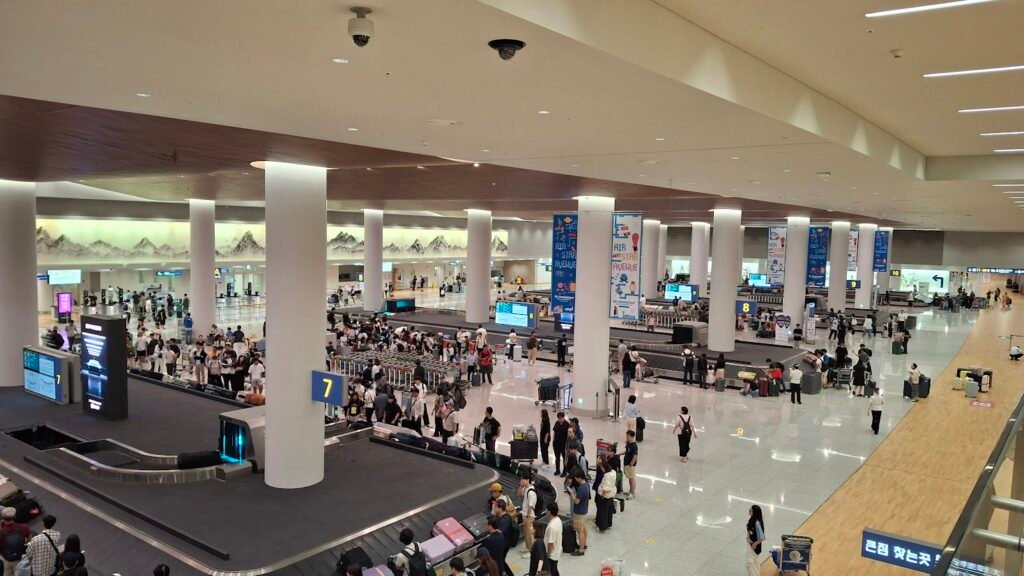
Photo: ICN T2 arrival by AirportTerminalGuy, CC BY 4.0, via Wikimedia Commons
Most tourists waste 40 minutes at the airport SIM counter. Here’s how to skip all of that, whether you pick a physical SIM or an eSIM in Korea.
Honestly, the SIM card situation in Korea used to be straightforward — you landed at Incheon, joined a slow-moving queue, handed over your passport, and eventually walked away with a plastic card stuffed into your phone. As a Korean who’s lived in Gyeonggi-do for over a decade and watched thousands of foreign colleagues and visitors go through this process, I can tell you: 2026 has completely changed the game. eSIM technology, cheaper data plans, and airport vending machines mean you can land in Korea already connected. This guide walks you through every option available right now so you can make a smart call before you even board your flight.
📋 On This Page
- eSIM vs Physical SIM: Which One Is Right for You?
- The 3 Korean Networks — SKT, KT, and LG U+
- How to Get a SIM Card at Incheon Airport in 2026
- Best eSIM Apps for Korea (Tested & Compared)
- Important Things to Know Before You Buy
eSIM vs Physical SIM: Which One Is Right for You?
I’ve helped three foreign visitors set up their Korean SIM cards in the past year. Airport booths are convenient but overpriced — the rental counters near the exit gates are better value for stays over a week.
Let me give you the short version first: if you have a modern smartphone (iPhone XS or later, or most flagship Android phones from 2019 onward), go with an eSIM. Full stop. You can buy it tonight, scan a QR code, and land at Incheon already connected to 4G or 5G. No queues, no language barrier, no fiddling with a tiny SIM pin tool after a 10-hour flight.
A physical SIM still makes sense in two scenarios. First, if your phone is older or doesn’t support eSIM — check Settings > Cellular > Add eSIM on iPhone, or Settings > Connections > SIM Manager on Android. Second, if you need a local Korean phone number for things like booking certain restaurants, signing up for Korean delivery apps, or accessing banking services. Most tourist eSIMs are data-only, so for calling and texting with a Korean number, a physical SIM from LG U+ at the airport is still your best bet.
💡 Honest Local Tip: When my foreign colleagues visit from our chemical industry partners in Europe, I always tell them to set up an eSIM the night before they fly. They’re connected the moment they walk through arrivals — which means they can message me instantly without hunting for airport Wi-Fi.
The 3 Korean Networks — SKT, KT, and LG U+
Korea runs on three carriers: SK Telecom (SKT), KT (also called KT Olleh), and LG U+. Every SIM card and eSIM you buy — whether from a third-party app, a convenience store, or an airport counter — ultimately uses one of these three networks. The difference in real-world speeds is minimal in cities. For streaming, navigation, and social media, all three are more than fast enough.
Coverage across Seoul and major cities like Busan, Daegu, and Jeju is excellent on all three. Gaps can appear on very rural hiking trails or deep in the mountains, but for typical tourist routes, any network will serve you well. Where it matters slightly: if you plan to travel between cities on KTX trains, SKT has the most consistent signal inside tunnels, which is something I’ve noticed from years of commuting between Gyeonggi and central Seoul.
| Network | Speed (4G avg) | Best For | Tourist SIM Available? |
|---|---|---|---|
| SK Telecom (SKT) | ~200 Mbps | Nationwide travel, train commuters | ✅ Yes (airport + online) |
| KT Olleh | ~185 Mbps | City travel, good English support | ✅ Yes (airport) |
| LG U+ | ~175 Mbps | Tourists needing a local number | ✅ Yes (airport + online) |
How to Get a SIM Card at Incheon Airport in 2026
If you decide to go the physical SIM route, Incheon Airport makes it relatively painless. Both Terminal 1 and Terminal 2 have carrier counters in the arrivals hall. At Terminal 1, LG U+ has counters between exits 6–7 and 10–11. KT has counters on the arrivals level as well. SKT operates airport roaming centers where you can pick up pre-ordered cards or buy on the spot. All major convenience stores (GS25, CU, 7-Eleven) in both terminals also stock tourist SIM cards.
You’ll need your passport — this is mandatory for SIM registration in Korea. The activation process takes about 10 to 20 minutes at a manned counter. Staff at KT and LG U+ typically speak functional English. At convenience store vending machines, the process is fully self-service with English menus. These are surprisingly quick if the manned counters have queues.
⚠️ Watch Out: If your flight lands after midnight, some manned carrier counters may be closed or operating on reduced hours. The convenience stores stay open 24 hours, but manned counters for complex setups follow airport schedules. If you’re arriving late, pre-order your SIM online or install an eSIM before you fly — it removes all timing risk.
Best eSIM Apps for Korea (Tested & Compared)
The eSIM market for Korea has matured quickly. You’re no longer limited to overpriced tourist plans. As of 2026, a few apps consistently get strong reviews from travelers I’ve spoken to and from data across travel communities. Airalo is the most widely used — it offers everything from a small weekend data pack to 30-day plans, including unlimited options (check the fair-use speed cap before you buy). Saily, made by NordVPN, is good for travelers visiting multiple Asian countries in one trip since it covers Korea and neighboring destinations.
The setup process is much the same for all of them: download the app, buy your plan, scan the QR code or tap install, and set the eSIM as your data line while keeping your home SIM active for calls. For iPhone users, there’s now an additional option: since spring 2026 you can add a T-money card to Apple Wallet through the MobileTmoney app and top it up with some foreign cards (Mastercard works; Visa isn’t supported in the app yet). That’s a genuinely useful development.
Important Things to Know Before You Buy
A few things catch people off guard that I want to flag clearly. First, most tourist eSIMs are data-only — you won’t get a Korean phone number. For most visitors, this is fine; you can make calls over KakaoTalk, WhatsApp, or FaceTime. But if you’re planning to book a table at certain local restaurants that require a Korean number to confirm, or if you’ll be using Kakao T taxi and need SMS verification, factor that in.
Second, check that your phone is unlocked before you buy anything. A carrier-locked device cannot use a different network’s SIM or eSIM, regardless of what the plan says. Third, one passport allows purchase of up to three SIM cards — relevant if you’re traveling with family and want separate cards for each person.
Finally, Korea’s free public Wi-Fi is genuinely excellent and widely available in subway stations, cafes, and many public spaces. If you’re on a very tight budget, some travelers do get by with just a small eSIM data buffer and relying on free Wi-Fi for heavier use. It’s not ideal, but it works. My personal recommendation: get a 5–10GB eSIM for a one-week trip. That covers maps, messaging, and light browsing without overpaying for unlimited plans you won’t fully use.
Things Readers Often Ask
Can I buy a SIM card for Korea before I arrive?
Yes. You can purchase an eSIM from apps like Airalo, Saily, or eSIMX well before your trip. Physical SIM cards from Korean carriers like SKT can also be pre-ordered online and picked up at the airport counter on arrival. Pre-ordering means no waiting in line and immediate connectivity the moment you land.
Do I need a Korean phone number to travel in Korea?
For typical tourist activities, no. Most navigation, food ordering, and payment apps work fine with data only. However, if you plan to sign up for Kakao T taxi, use certain restaurant reservation services, or access Korean banking features, a local number helps. In that case, opt for a physical SIM from LG U+ or KT at the airport.
How much does a tourist SIM or eSIM in Korea cost in 2026?
Pricing varies by plan duration and data amount. A 7-day eSIM with around 10–20GB of data typically costs between $8 and $15 USD from third-party apps. Airport physical SIM plans for 10 days of unlimited data run approximately ₩38,000–₩45,000 (around $29–$34). Monthly plans cost roughly $38–$50 for unlimited data.
Before You Go
Living here my whole life, I can honestly say that staying connected in Korea has never been easier for visitors. The infrastructure is world-class — one of the fastest mobile networks on the planet — and the options for tourists have become genuinely flexible and affordable in 2026. My simple advice: if you have a modern smartphone, install an eSIM before you fly and arrive already connected.
If you need a local number or have an older device, grab a physical SIM from LG U+ in the arrivals hall at Incheon. Either way, don’t stress about it. You’ll be sorted within minutes either at home or at the airport. Have questions about getting around Seoul once you’re connected? Drop them in the comments below — I read every one.
📚 You might also like:
For official carrier information, you can check Visit Korea’s official tourism portal for the latest updates on SIM card availability at major airports.
